PR comments
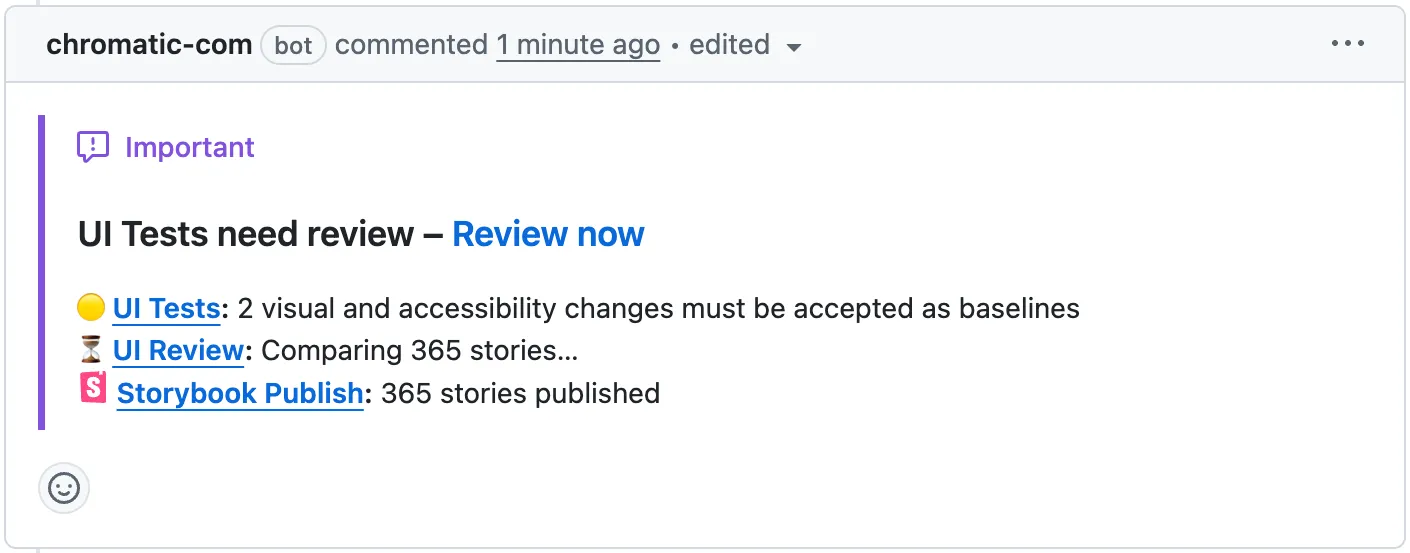
When enabled, Chromatic posts a comment on the pull request with the number of visual and accessibility changes, the UI Review status, and a link to your published Storybook.
How it works
When a Chromatic build completes for a pull request, Chromatic posts a comment on that PR. The comment shows:
- UI Tests: the number of visual and accessibility changes that need to be accepted as baselines
- UI Review: the current review status
- Storybook Publish: a link to your published Storybook
The comment is created the first time a build posts results for a PR. From then on, it updates automatically with each new build on the same PR — no new comment is posted each time.
Enable
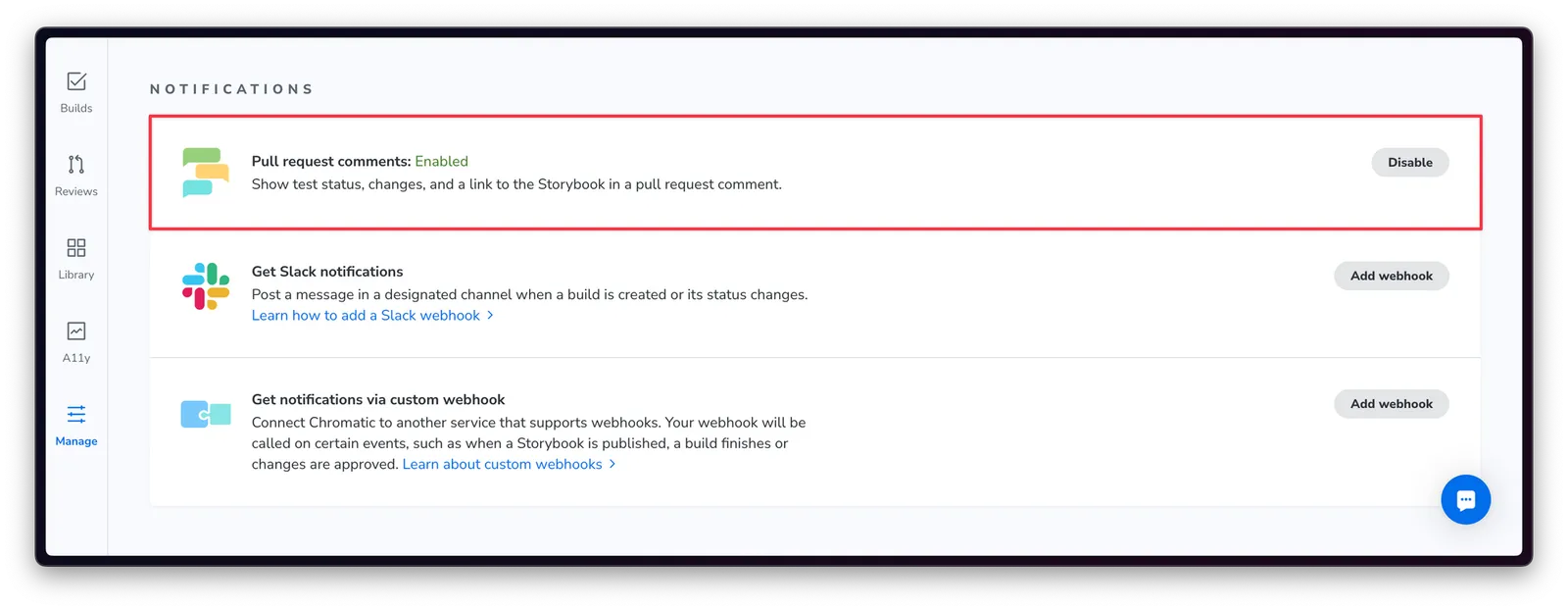
PR comments require UI Review to be enabled, the GitHub app to be installed, and your project linked. Once that’s done, enable PR comments from your project’s Manage screen under Notifications.
ℹ️ PR comments are currently only supported for GitHub. Support for other Git providers is coming soon.
Monorepo support
For monorepos linked to multiple Chromatic projects, each project posts its own comment. Consolidation into a single comment is coming soon.